
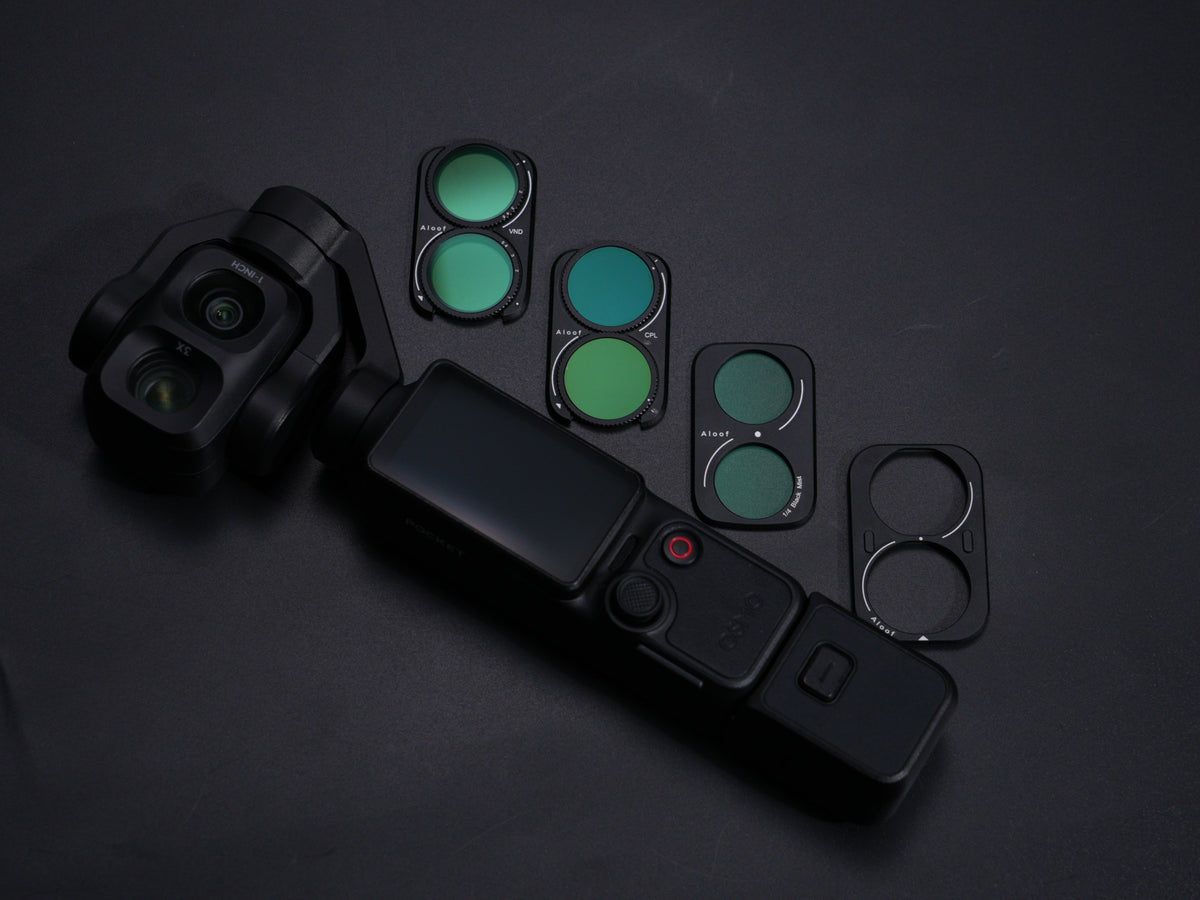
Just got the DJI Osmo Pocket 4 Pro? Great choice—but the stock lens alone won’t give you cinematic motion blur, clean water reflections, or soft skin tones. Filters are what bridge that gap. This guide explains the filters that actually matter for the Pocket 4 Pro, when to use each one, and how to build a starter kit without overspending.
Why the Pocket 4 Pro benefits from filters
The Pocket 4 Pro shoots 1-inch main camera footage with D-Log 2 and up to 4K/240fps, plus a 3× telephoto for natural portraits . In bright daylight, even with variable settings you often want controlled shutter speed for cinematic look; that’s where ND filters earn their place. For travel and vlog, CPL cuts glare on water and glass; for interviews and lifestyle, black mist softens highlights. UV stays on as basic lens protection.
ND filters — control shutter speed in daylight
ND acts like sunglasses for the lens. It reduces light so you can keep your target shutter speed (commonly 1/50s for 24fps video) instead of overexposing.
ND8: cloudy to partly cloudy days
ND16: general daytime outdoor, mild sun
ND32: full sun, beaches, snow, midday streets
ND64/ND128: very bright conditions or when you want longer blur in daylight
Tip: If you shoot a lot of changing light, a variable ND (e.g. ND2–32) is more convenient; fixed NDs are usually sharper and have no cross-pattern risk at wide angles.
CPL filters — remove glare and boost color
Use CPL for lakes, oceans, car windows, shop windows, wet streets, and blue skies. Rotate the filter until reflections drop and colors look deeper. On the Pocket 4 Pro main lens it pairs well with ND in outdoor travel; for telephoto portrait shots it helps reduce leafy/window glare but test framing first because polarization angle changes with focal length and angle of view.
UV filters — daily protection
UV doesn’t change color mood, but it protects the front element from dust, fingerprints, and scratches. If you change filters often on the go, keep a quality UV on by default and swap to ND/CPL only when needed.
Black mist / diffusion — skin and cinematic glow
Black mist 1/8: subtle; good for everyday vlog and travel
Black mist 1/4: stronger softness for portraits, night city lights, and dreamy looks
Avoid heavy mist for product shots where edge sharpness matters.
Optional creative filters
Star/mist creative: night lights, reels, shorts
Anti-light-pollution: urban night if your camera struggles with sodium streetlights
These are nice-to-have, not starter essentials.
Starter kits by shooting style
Travel/vlog only: UV + ND16 + ND32 + CPL
Cinematic video: ND8/32/128 set + CPL + UV
People/interview: UV + black mist 1/4 + ND16 + CPL
All-round beginner: UV + ND16 + CPL + black mist 1/8
Installation and care for Pocket 4 Pro
Power off before swapping filters.
Remove the stock UV by rotating about 15° counterclockwise (Pocket 4 Pro OEM-style mount), then seat the new filter squarely.
For CPL, rotate while watching the screen to find minimum reflection.
Keep glass clean with air blower + microfiber; avoid touching the coating.
Don’t stack too many filters—each layer adds flare and possible vignetting, especially on wide main lens.
FAQ
Do Pocket 3 filters fit Pocket 4 Pro?
Not automatically—buy 4 Pro–specific mounts unless the accessory brand confirms cross-compatibility.
Which ND for 1/50s in midday sun?
Often ND32–ND128 depending on aperture/ISO; test a short clip before the take.
Is CPL necessary for vlog?
Not always, but it dramatically improves water/sky/window shots.
Can I leave UV on forever?
Yes, as protection; remove or replace when you need ND/CPL.
Share:
Key Advantages of the Insta360 Luna Pro: 4K Vertical Capture and the Creator Workflow